Cyber Security for Small Businesses: A Practical UK Guide
You don’t need a security team or a big budget to make a small business much harder to attack. In the government’s Cyber Security Breaches Survey 2025/2026, 43% of UK businesses reported a breach or attack in the previous 12 months, and phishing was by far the most common type. Yet fewer than half of businesses (47%) had any form of two-factor authentication, and only a quarter had a formal plan for responding to an incident.
This guide is the short version of everything we’d tell a new client. Each section links to a more detailed post or one of our other in-depth guides, and there’s a one-page checklist near the end.
Passwords
Stolen and guessed passwords are still one of the easiest ways into a business. Two habits do most of the work.
A different password for every account. When one website is breached, criminals try the same email and password everywhere else. The NCSC suggests three random words for passwords you have to remember, and saving the rest in a password manager or your browser so nobody has to remember dozens.
Passkeys where you can. A passkey replaces the password with your phone’s or laptop’s fingerprint, face or PIN, and it only works on the real website, so a fake sign-in page can’t steal it. In April 2026 the NCSC said it would recommend passkeys wherever a service supports them, and two-step verification where it doesn’t.
Passwords for shared accounts belong in the password manager’s shared vault, not in a spreadsheet or a sticky note, and they should change when someone leaves. There’s more on creating strong passwords you’ll remember.
Multi-factor authentication
Multi-factor authentication (MFA) means a password alone isn’t enough to sign in: you also approve the sign-in on your phone, type a code or use a passkey. A stolen password on its own is no longer enough, which makes it the single most important thing on this list.
Switch it on for email and Microsoft 365 first, then every cloud service that holds company data: accounting software, payroll, banking, your website and domain registrar. Under Cyber Essentials it’s now an automatic fail if a cloud service offers MFA and you don’t use it.
Not all MFA is equal. Codes sent by text can be stolen by taking over someone’s phone number: Cifas recorded a 402% rise in unauthorised SIM swaps in the first half of 2026 compared with the year before. And modern fake sign-in pages can capture a code as you type it. App approvals with number matching are harder to steal than text codes, but only passkeys stop a fake sign-in page.
Criminals also go after the people who can reset MFA. Whoever handles your IT should confirm who’s asking before any reset.
From our work
This is how we handle resets for our clients. Before resetting a password, we call the person’s line manager on their mobile to confirm it’s genuine, since AI voice cloning means a phone call alone proves nothing. The person also has to approve a push notification before we go ahead. We haven’t had a fake request yet, but the checks are there for the day it happens.
David Gilbey, Just Gilbey IT Solutions
Criminals have other ways into accounts too, and fake sign-in pages are how most codes get stolen.
Updates and old software
Criminals use known flaws in software that hasn’t been updated. Turn on automatic updates for Windows, macOS, phones, browsers and the apps you use, and check they’re being installed.
Cyber Essentials sets a useful bar: critical and high-risk security updates installed within 14 days of release, and software removed once it’s no longer supported. Only about a third of businesses in the government’s survey (34%) have a policy like that.
Unsupported devices are the bigger problem. Windows 10 reached end of support on 14 October 2025, and the NCSC’s advice is plain: if a phone, laptop or computer is no longer supported, replace it. The same goes for old servers, routers and firewalls; Windows Server 2016, for example, reaches the end of its support in January 2027.
Laptops, phones and working away from the office
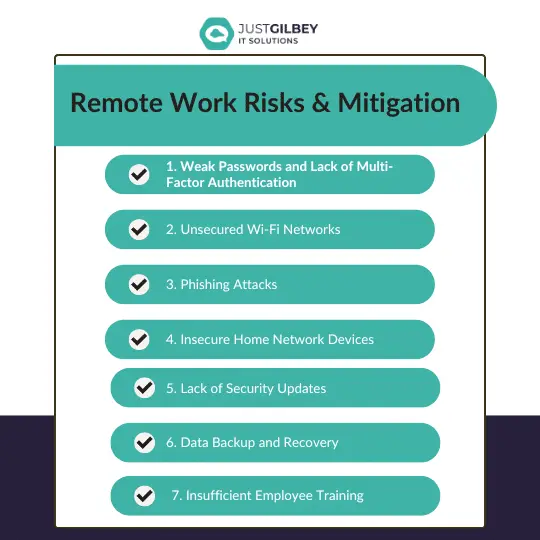
Many staff now work from more than one place, and every laptop and phone that opens company email is part of your business’s security.
- Lock and encrypt. Every device needs a PIN, password or biometric lock, and encryption, so a lost laptop doesn’t expose client data.
- Manage them centrally. Device management (Intune, with Microsoft 365 Business Premium) lets you enforce those settings, keep devices updated and wipe a lost one. Microsoft Intune for small businesses explains how it works on personal phones too.
- Buy devices with support left. When you buy a new or second-hand computer or phone, check how long the manufacturer will keep providing updates. A new PC should meet the Windows 11 requirements, including TPM 2.0. When old ones go, wipe them first.
- Be wary of public Wi-Fi. For work on the move, a phone’s own data connection or hotspot is safer than hotel or café Wi-Fi, and never sign in to company systems from a pop-up login page you weren’t expecting.
- Think about old phone numbers. When a mobile number is given up, the network can eventually give it to someone else. Before you let a work number go, move any sign-in codes and account recovery details off it, or the new owner may receive them.
There’s more on keeping business phones and tablets secure, and 5 things you should never do on a work computer is a good one to share with staff.
Backups
Backups are what let you recover from ransomware, a stolen laptop or a deleted folder.
- Back up everything that matters, including Microsoft 365: email, OneDrive, SharePoint and Teams. Microsoft’s own safety nets are time-limited.
- Keep a copy that ransomware can’t reach, offline or in a separate, protected location.
- Test restores, so you know a backup works before you need it.
How to build a backup strategy takes you through it in seven steps.
Email and phishing
Phishing was the most common attack in the government’s survey, affecting 38% of businesses. Two kinds of protection work together: settings that stop fake and dangerous email reaching people, and people who know what to look for when one gets through.
On the settings side, SPF, DKIM and DMARC help stop criminals sending email that appears to come from your domain, and email filtering catches dangerous links and attachments. Our free email security check shows how your domain is set up today. On the people side, our guide to phishing and email scams covers the five checks to make before clicking, and what to do in the first hour if someone already has.
Staff training
Some attacks will always get past the filters. Short, regular training works better than an annual presentation: a few minutes on how to spot a phishing email, simulated phishing tests now and then, and a clear message that reporting a mistake quickly is what you want. People who are afraid of getting into trouble keep quiet, and that’s when a small incident becomes a large one.
Only 19% of businesses in the government’s survey had trained staff in the past year, so most have room to improve here at little cost. Our posts on social media phishing and scam texts make good short training material.
Suppliers and connected apps
Your security also depends on the companies and apps you let in: the payroll provider, your case or accounts software, the app someone connected to Microsoft 365 to save time. Check what a supplier does with your data and how they protect it, and don’t let staff connect third-party apps to company accounts without someone approving them. Our checklist for vetting third-party apps has the questions to ask.
Cyber Essentials
Cyber Essentials is a UK government-backed scheme that sets the minimum standard of cyber security the government recommends for organisations of all sizes. It covers five technical controls: firewalls, secure configuration, security update management, user access control and malware protection. The NCSC runs it, with IASME as its delivery partner, and certification bodies licensed by IASME carry out the assessments.
There are two levels. Cyber Essentials is a self-assessment checked by an assessor; the NCSC says it’s priced according to the size of your organisation, starting at £320 plus VAT. Cyber Essentials Plus covers the same controls with independent technical testing. The current requirements, version 3.3, took effect on 27 April 2026, and make MFA on cloud services and 14-day patching automatic fails.
Why bother? Clients, tenders and insurers may ask for it, and it’s a sensible checklist even if nobody does. Only 5% of businesses in the government’s survey held it. Our free Cyber Essentials readiness checklist shows how close you are. We hold Cyber Essentials Plus ourselves, and getting clients ready for certification is one of our add-ons.
What to do if something goes wrong
Have a one-page plan before you need it: who to call, how to reach them out of hours, and who decides what. Then, if something happens:
- Contain it. Disconnect affected devices from the network, but don’t switch them off or wipe them. Reset passwords for affected accounts from a clean device and sign them out everywhere.
- Call for help. Your IT provider first. If money has been sent, your bank straight away.
- Report it. Fraud and cyber crime go to Report Fraud (reportfraud.police.uk or 0300 123 2040), which replaced Action Fraud in December 2025. If personal data is involved, you may need to tell the ICO (formally the Information Commission since 30 September 2026) within 72 hours; our guide to UK GDPR explains when.
- Close the way in. Find out how they got in and fix it before you restore, then review what you’d do differently.
Our guide to business continuity and disaster recovery has the full version, including what to do in the first 24 hours after a ransomware attack.
Free help from the NCSC
The National Cyber Security Centre has free tools aimed at small businesses:
- the Cyber Action Toolkit, which gives you a personalised list of actions
- Check your cyber security, free checks of your website and email security
- Early Warning, which emails you if it spots threats affecting your organisation
- Exercise in a Box, short exercises to test how your team would handle an attack
A one-page checklist
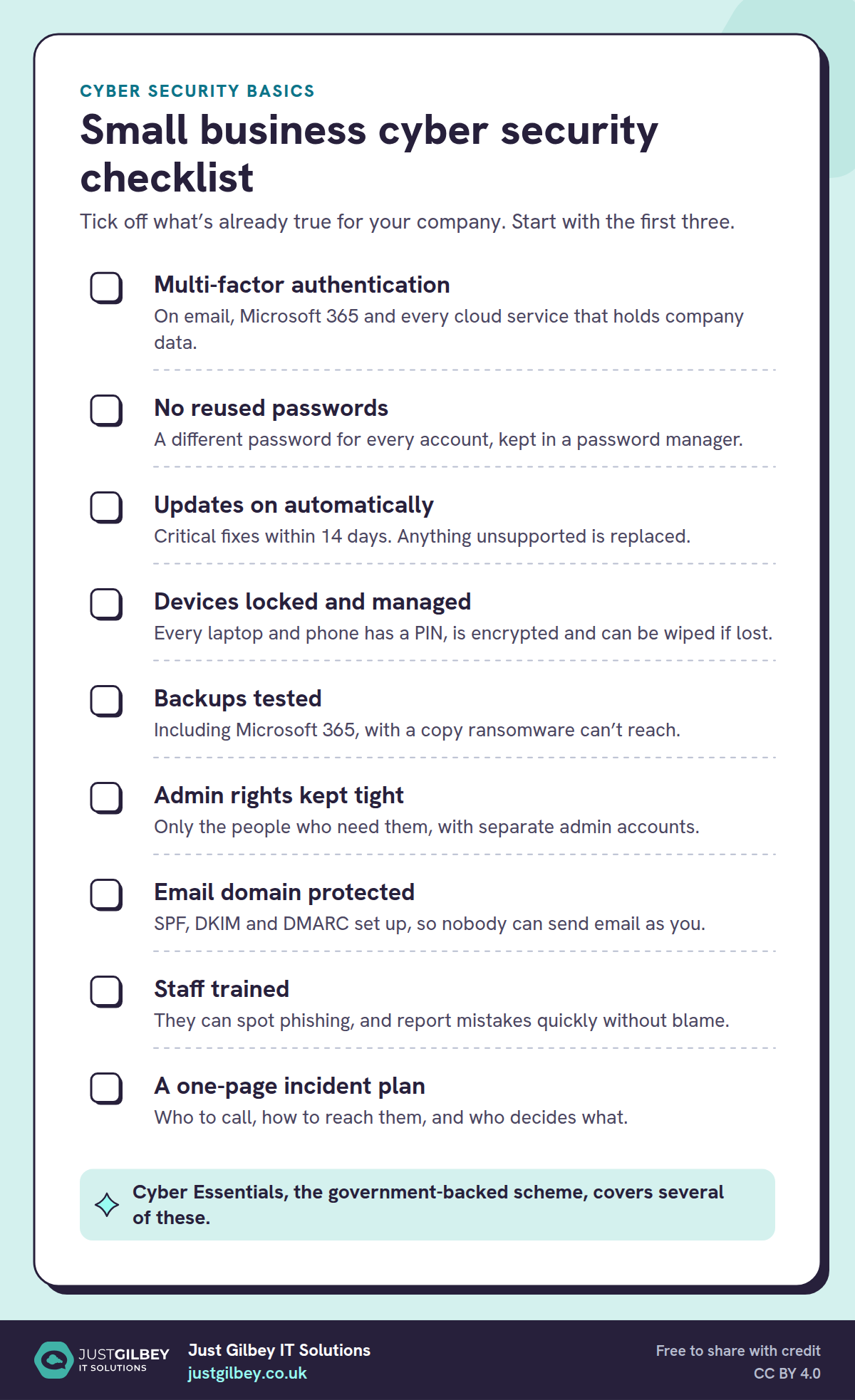
Small business cyber security checklist
Tick off what’s already true for your company. Start with the first three.
- Multi-factor authentication. On email, Microsoft 365 and every cloud service that holds company data.
- No reused passwords. A different password for every account, kept in a password manager.
- Updates on automatically. Critical fixes within 14 days. Anything unsupported is replaced.
- Devices locked and managed. Every laptop and phone has a PIN, is encrypted and can be wiped if lost.
- Backups tested. Including Microsoft 365, with a copy ransomware can’t reach.
- Admin rights kept tight. Only the people who need them, with separate admin accounts.
- Email domain protected. SPF, DKIM and DMARC set up, so nobody can send email as you.
- Staff trained. They can spot phishing, and report mistakes quickly without blame.
- A one-page incident plan. Who to call, how to reach them, and who decides what.
Cyber Essentials, the government-backed scheme, covers several of these.
If you’re not sure where you stand on some of these, that’s normal. Pick the first three, get them done this month, and work down the list.
More in-depth guides
- Phishing and email scams: how to spot them and what to do
- Business continuity and disaster recovery: getting back to work after an incident
- Microsoft 365 for small businesses: the right plan, set up securely
- UK GDPR for small businesses: data protection, breaches and records
- Using AI safely at work: Copilot, ChatGPT and staff rules
Questions people ask
What are the cyber security basics for a small business?
Multi-factor authentication on email and every cloud service, unique passwords kept in a password manager, automatic updates with unsupported devices replaced, encrypted and managed laptops and phones, tested backups with a copy kept separately, staff trained to spot and report phishing, and a short plan for what to do if something goes wrong.
How likely is a small business to be attacked?
The government’s Cyber Security Breaches Survey 2025/2026 found that 43% of UK businesses reported a breach or attack in the previous 12 months, and phishing was by far the most common type, affecting 38% of all businesses.
What is Cyber Essentials?
A UK government-backed scheme that certifies five basic technical controls: firewalls, secure configuration, security update management, user access control and malware protection. Cyber Essentials Plus covers the same controls with independent technical testing. The NCSC runs the scheme with IASME as its delivery partner.
How much does Cyber Essentials cost?
The NCSC says it’s priced according to the size of your organisation, starting at £320 plus VAT. Cyber Essentials Plus is quoted individually because it includes a technical audit.
Is there free cyber security help for small businesses?
Yes. The NCSC has a free Cyber Action Toolkit that gives small businesses a personalised plan, free checks of your website and email security, the Early Warning service that alerts you to threats affecting your organisation, and the Exercise in a Box tabletop exercises.
Sources
- GOV.UK: Cyber security breaches survey 2025/2026 (30 April 2026)
- NCSC: Small organisations guide to cyber security (9 April 2026)
- NCSC: Passkeys are more secure than traditional ways to log in (23 April 2026)
- NCSC: Three random words
- NCSC: Cyber Essentials requirements for IT infrastructure v3.3 (April 2026, PDF)
- NCSC: About Cyber Essentials
- NCSC: Cyber Essentials resources (v3.3 effective 27 April 2026)
- IASME: Changes to Cyber Essentials for April 2026 (12 February 2026)
- Cifas: Fraudscape 2026, 6-month update (August 2026)
- Microsoft Learn: Windows 10 Home and Pro lifecycle
- Microsoft Learn: Windows 11 requirements (updated 21 July 2026)
- NCSC: Buying and selling second-hand devices
- NCSC: Cyber Action Toolkit launched for small businesses (14 October 2025)
- NCSC: Check your cyber security
- NCSC: Early Warning
- NCSC: Exercise in a Box
- GOV.UK: Report Fraud, new service from City of London Police (4 December 2025)