Fake Microsoft 365 Sign-in Pages: How to Spot and Stop Them
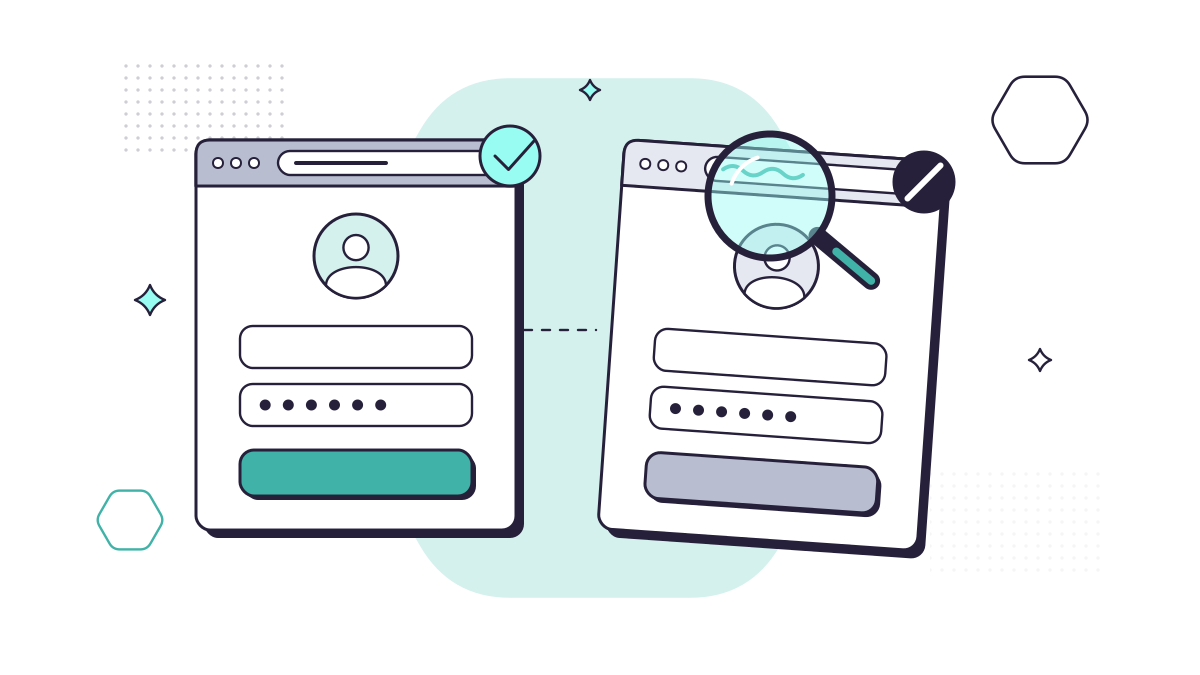
A fake sign-in page is a copy of a login screen, usually Microsoft 365’s, built to collect whatever you type into it. It’s the workhorse of phishing, and phishing is still the attack UK businesses meet most. In the government’s Cyber Security Breaches Survey 2025/2026, 38% of businesses had experienced a phishing attack in the previous 12 months, and phishing was the most disruptive type of attack for 69% of those that had a breach.
The good news is that you can make these pages almost useless, mostly through settings rather than spending.
How a fake sign-in page reaches you
The page itself is only half the trick. The other half is getting you there at a moment when signing in feels normal. Common routes are:
- A “shared document” email, apparently from a colleague, client or supplier, asking you to sign in to view a file, invoice or voicemail.
- A typo domain, such as offoce.com instead of office.com, picked up by a slip of the keyboard or a paid search advert.
- A QR code in an email or PDF, which you scan on your phone, away from your company’s email filtering. (We cover this in our guide to QR code scams.)
- A message from a real account that has already been taken over, which is why the email can look completely genuine.
The page looks like Microsoft’s. Your company’s sign-in branding appears to anyone who types in a work email address, so a fake can show your own logo and background too.
Why a code on your phone isn’t always enough
Older fake pages simply stored your password. Many current kits work as a relay: they sit between you and the real Microsoft page, pass everything through, and keep a copy of the session “token” Microsoft gives you once you’ve signed in. Microsoft describes this as token theft, and it means the attacker can use your signed-in session without needing your password or your code again.
The NCSC made the same point in April 2026, when it said it would recommend passkeys wherever a service supports them: passkeys are tied to the real website, which removes this whole class of attack.
What happens after someone signs in
With access to one mailbox, an attacker can read months of correspondence, set up rules that hide replies, and email your clients and suppliers from a trusted address. For a solicitor or accountant, that’s the starting point for changed bank details on an invoice or a completion statement.
From our work
Our 24/7 security team has flagged several of these attacks at clients. That’s more than antivirus on each computer: a security operations centre watches sign-ins and activity around the clock. Trained staff fall for them less often, but nobody catches everything, and we’ve intercepted adversary-in-the-middle attacks, convincing PDFs and fake sign-in pages, some of them at weekends. One local distributor found this out when activity on one of its accounts was flagged as suspicious late on a Friday evening. The security operations centre disabled the account and reset the password, then put together a report on what had happened and how, and we gave that person some extra training.
David Gilbey, Just Gilbey IT Solutions
If personal data was exposed, you may also need to report it to the ICO within 72 hours of becoming aware of the breach (see the ICO’s breach guide).
How to spot a fake sign-in page
Train everyone to stop and check these before typing a password:
- Read the address bar, not the page. Microsoft 365 work sign-ins normally happen at login.microsoftonline.com. Anything else, however close, is a reason to stop.
- Ignore the padlock. It only means the connection is encrypted. Fake sites have one too.
- Be suspicious of being asked to sign in to see something. If you’re already signed in to Outlook and a link asks you to sign in again, close it.
- Notice when your password manager stays quiet. A password manager fills in details only on the site they were saved for, so if it doesn’t offer your login, the site may not be what it seems.
- Go the long way round. Open Outlook, Teams or office.com from your own bookmark or app, then find the document there.
How to stop fake sign-in pages working
Spotting fakes relies on people being alert every time. These settings protect you on the day someone isn’t:
- Multi-factor authentication (MFA) for every account. Under the April 2026 Cyber Essentials requirements, MFA must be on for every cloud service that offers it. Yet only 47% of businesses use two-factor authentication, according to the same breaches survey.
- Phishing-resistant sign-in. Passkeys in Microsoft Authenticator, Windows Hello for Business and hardware security keys all refuse to work on a fake domain. Start with your directors, finance team and administrators.
- Conditional Access. Microsoft 365 can allow sign-ins only from your company’s managed devices, which makes a stolen password or session much less useful from someone else’s laptop.
- Email and web filtering. Link scanning and DNS filtering block many known phishing sites before anyone sees them.
- Company branding on your sign-in page. Adding your logo and wording helps staff recognise the real page, and it’s included with licences such as Microsoft 365 Business Standard. Treat it as a familiarity aid, not a defence, because kits can copy it.
- Easy reporting. Make it simple for staff to report a suspicious email and thank them when they do. Anyone can also forward one to the NCSC at report@phishing.gov.uk.
Our cyber security service covers this set-up, along with phishing simulations so your team practises spotting fakes in a safe setting.
If someone has already entered their password
Act quickly, and don’t blame them, or the next person won’t own up:
- Reset the password and sign the account out of every session.
- Check for MFA methods, inbox rules or forwarding the person didn’t set up.
- Look at what was sent from the mailbox and warn anyone who received something odd.
- Tell your IT support, decide whether the ICO needs to know, and report any money lost to your bank and to Report Fraud.
For the other ways accounts get taken over, from SIM swaps to stolen browser sessions, read 7 unexpected ways hackers get into business accounts.
Questions people ask
Does multi-factor authentication stop fake sign-in pages?
It stops many of them, and every business should have it on. But some phishing kits sit between you and the real Microsoft page, pass your code through and steal the signed-in session. Passkeys and other phishing-resistant methods are tied to the real website, so they don’t work on a fake one.
Does the padlock in the address bar mean a website is safe?
No. The padlock only means the connection is encrypted. Criminals can get a certificate for their own fake domain in minutes, so most phishing pages show a padlock too. Check the domain name instead.
Where do I report a phishing email in the UK?
Forward it to the NCSC at report@phishing.gov.uk, and tell your IT support. If money has been lost, report it to your bank straight away and to Report Fraud (England, Wales and Northern Ireland) or Police Scotland on 101.
Sources
- DSIT: Cyber Security Breaches Survey 2025/2026
- NCSC: Passkeys are more secure than traditional ways to log in (April 2026)
- Microsoft Security blog: Token tactics, how to prevent, detect and respond to cloud token theft
- Microsoft Learn: Add company branding to your organisation’s sign-in page
- NCSC: Cyber Essentials requirements for IT infrastructure v3.3 (April 2026)
- NCSC: Report a scam email
- ICO: Personal data breaches, a guide