In-depth guideBackup & continuity
Business Continuity and Disaster Recovery for Small Businesses: A UK Guide
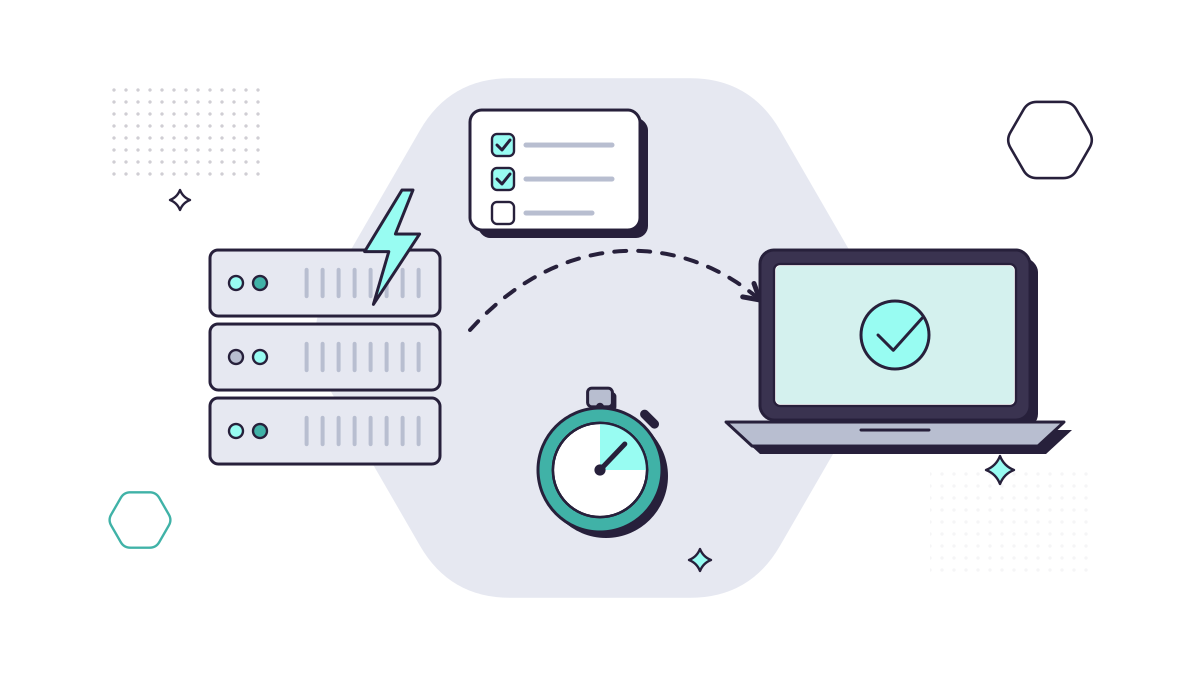
A server fails, a laptop is stolen, someone deletes the wrong folder, the internet goes down, or ransomware locks everything at once. What separates a bad day from a lost week is whether you’d already decided what to do.
Most businesses haven’t. In the government’s Cyber Security Breaches Survey 2025/2026, a third of all businesses (33%) had a business continuity plan that covered cyber security; among small businesses it was 44%, down from 53% a year earlier. The plans that did exist were, in the survey’s words, “largely untested or incomplete”.
This guide covers how a small business plans for that day: what to protect first, what goes in the plan, what to do in the first 24 hours of a ransomware attack, and how to know the plan works. If you’re still setting up backups, our post on how to build a backup strategy covers that step by step.
Business continuity and disaster recovery: what’s the difference?
Disaster recovery is the IT side: getting your systems and data back after an incident. Business continuity is everything else: how the company keeps serving clients, paying people and answering the phone while IT is being restored.
You need both, and they work best as one short plan. A perfect restore that takes three days doesn’t help if nobody knew how to keep the business running in the meantime. ISO 22301 is the formal standard; a small business needs only a few pages, written and agreed.
Start with what matters most
Before writing anything, list what the business can’t do without, and how long it could cope without each:
- Email and phones, usually within hours
- Client files and your case management or accounts system, often within a day
- Payroll and banking, which may have fixed dates you can’t miss
- Everything else, which can usually wait
Two terms help here. The recovery time objective (RTO) is how long a system can be down before it seriously harms the business. The recovery point objective (RPO) is the point in time you need to recover data to: if your backup runs nightly, you could lose up to a day’s work. If losing a day’s work would be unacceptable for your case files, you need more frequent backups. Decide that now.
Write the plan
A small business’s plan should fit on a few pages and answer these questions:
- Who decides? Name the person who declares an incident and makes the calls, and a deputy.
- Who do we call? Your IT provider, your insurer’s incident line, your bank, key suppliers (and what you’ll do if one of them is hit), and your landlord or internet provider for physical problems. Keep a copy on paper or on a phone, because your systems may be the thing that’s down.
- What comes back first? The priority order from the list above, with the RTO for each.
- How do we keep working? Which tasks can move to phones, paper or another office, and how staff should communicate if email is unavailable. Make clear they shouldn’t move client files to personal email or USB sticks to get round the problem.
- What do we tell people? A short message for clients and staff, and who signs it off.
- How do we restore? Where the backups are, how to get to them and who can do it.
The NCSC’s small organisations guide says: have a plan that defines who does what, and when. The government’s Cyber Governance Code of Practice, written for medium and large organisations but worth following at any size, adds that the plan should be exercised at least once a year.
Our post on 10 ways UK small businesses can get ready for the unexpected covers the non-IT side in more detail.
Backups are the foundation
Every recovery depends on having good copies of your data. The NCSC’s ransomware guidance asks for backups kept separate, ideally offsite, on devices that aren’t permanently connected to your network, so ransomware can’t reach them too.
Don’t assume Microsoft 365 is backed up because it’s in the cloud. Microsoft is clear that, for every cloud service, you own your data, and its built-in safety nets are time-limited: deleted SharePoint and OneDrive items are kept for 93 days, and deleted email for 14 days by default, up to 30. A separate backup covers what those don’t.
A backup can run every night and still be useless, as this example shows.
From our work
A large local solicitors’ practice had regular backups that looked robust. When we checked, the backup was copying the wrong drive, and staff were unplugging the offsite copy before the main backup had finished, leaving that copy incomplete and corrupt. In a real disaster, they would have had nothing usable offsite. They now keep hourly local and offsite copies, and every six months we test a full recovery, with their machines running from the backup within an hour.
David Gilbey, Just Gilbey IT Solutions
Ransomware: the first 24 hours
Ransomware encrypts your files and systems, and often steals data first, then demands payment. It isn’t a common attack: only about 1% of businesses in the government’s survey were hit by it in the past year. But it can lock everything at once, which is when a plan matters most.
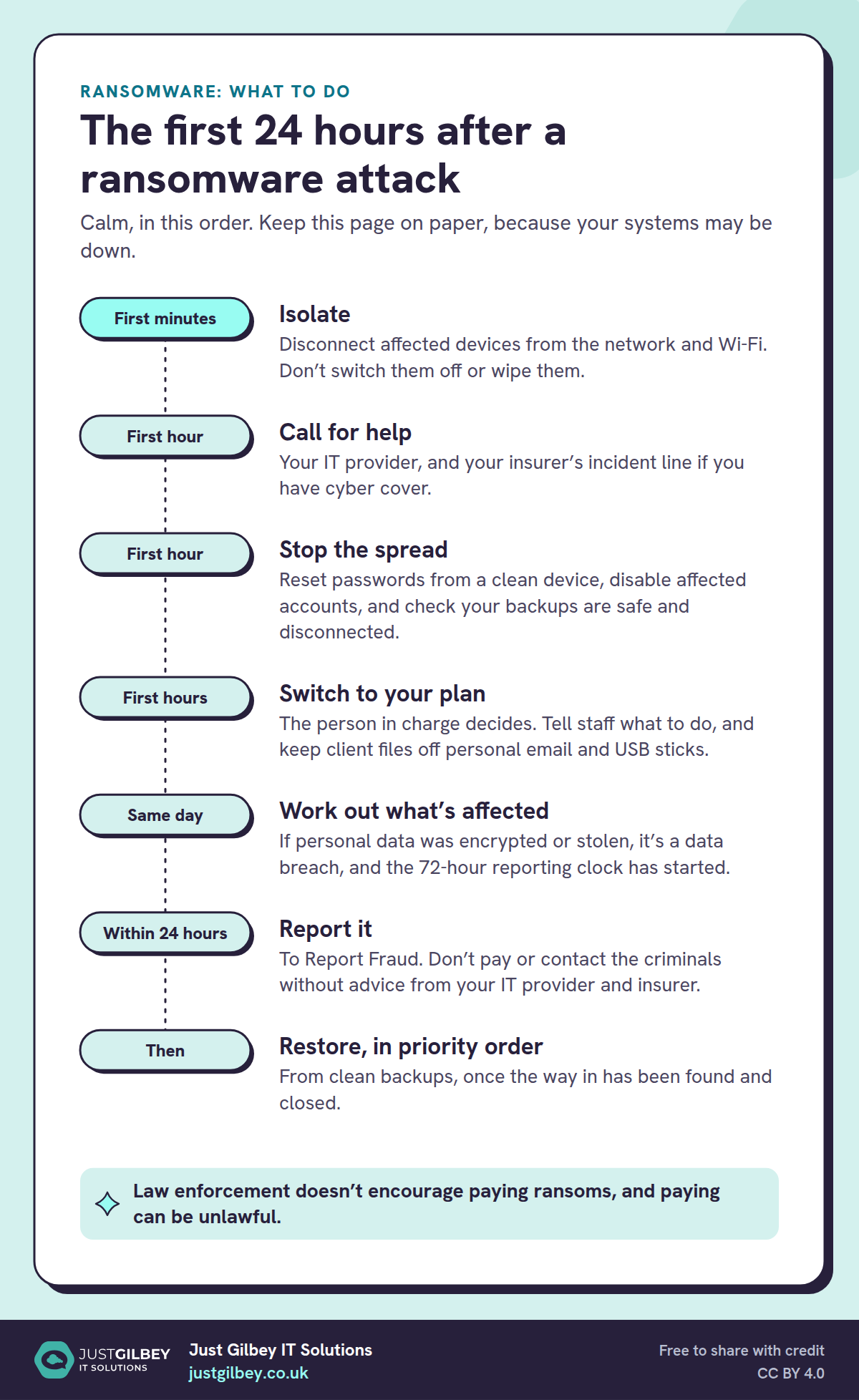
The first 24 hours after a ransomware attack
Calm, in this order. Keep this page on paper, because your systems may be down.
- First minutes: Isolate. Disconnect affected devices from the network and Wi-Fi. Don’t switch them off or wipe them.
- First hour: Call for help. Your IT provider, and your insurer’s incident line if you have cyber cover.
- First hour: Stop the spread. Reset passwords from a clean device, disable affected accounts, and check your backups are safe and disconnected.
- First hours: Switch to your plan. The person in charge decides. Tell staff what to do, and keep client files off personal email and USB sticks.
- Same day: Work out what’s affected. If personal data was encrypted or stolen, it’s a data breach, and the 72-hour reporting clock has started.
- Within 24 hours: Report it. To Report Fraud. Don’t pay or contact the criminals without advice from your IT provider and insurer.
- Then: Restore, in priority order. From clean backups, once the way in has been found and closed.
Law enforcement doesn’t encourage paying ransoms, and paying can be unlawful.
Should you pay? The NCSC’s guidance is clear that law enforcement doesn’t encourage it. Paying doesn’t guarantee you get your data back or that stolen data is deleted, it funds the criminals, and it can be unlawful if the money reaches a sanctioned group. The ICO (formally the Information Commission since 30 September 2026) doesn’t consider paying a ransom an appropriate measure for restoring personal data. The government has proposed banning payments by the public sector and critical national infrastructure, and a reporting regime for everyone else, but as of October 2026 none of that is law for a private small business.
Is it a data breach? If personal data is encrypted, you’ve lost access to it, which the regulator treats as a personal data breach. If it’s likely to put people at risk, you have 72 hours from becoming aware of it to report it. Our guide to UK GDPR covers how.
Two UK attacks in 2025
Two UK attacks in 2025 showed how long recovery can take, even for organisations with large IT teams. Marks & Spencer expected its April 2025 cyber incident to cost it about £300 million in operating profit, before insurance. Jaguar Land Rover stopped production for about five weeks from September 2025; the Cyber Monitoring Centre estimated the UK financial impact at £1.9 billion, affecting more than 5,000 UK organisations, many of them small suppliers.
The NCSC’s new guidance on disruptive cyber attacks talks about recovery in weeks or months. And as the second case shows, your plan should cover a supplier or customer being hit as well as you.
Test it
A plan nobody has tried is a guess. Two kinds of test are worth doing:
- Restore tests. Restore a few files or emails every month, and a whole system at least once a year, timed against your RTO. Write down what you restored and how long it took.
- A tabletop exercise. Sit the people named in the plan round a table and talk through a scenario: it’s Monday morning and nobody can open anything. The NCSC’s Exercise in a Box is free, with ready-made scenarios including ransomware, and you don’t need to be an expert to run it.
Tests find things like a phone number that’s changed, a backup that doesn’t include a new system, or a person who has left. Disaster recovery testing is one of our add-ons to any MYLE plan.
Cyber insurance
In the government’s survey, almost half of businesses (47%) had some cyber cover, but only one in ten has a specific cyber policy; the rest rely on cover inside another policy. The NCSC suggests first checking what your existing policies already include, and is clear that insurance doesn’t prevent an attack.
If you have cover, put the insurer’s incident line in your plan, and read the conditions: check whether yours expects you to notify the insurer quickly or use its approved responders. Insurers also ask about controls such as multi-factor authentication and backups before they’ll provide cover; our guide to cyber security for small businesses covers those.
Where to get help
- Your IT provider first, for containment and recovery.
- Report Fraud (reportfraud.police.uk or 0300 123 2040) for cyber crime, which replaced Action Fraud in December 2025. The government’s report a cyber incident service points you to the right place.
- The NCSC’s ransomware page for what to do if you’ve been hit.
- An NCSC-assured incident response company for serious incidents. The NCSC keeps a list of assured providers, including small, local companies.
Where to start
- List your most important systems and how long you could cope without each.
- Check your backups cover them, including Microsoft 365, with a copy ransomware can’t reach.
- Write a few pages: who decides, who to call, what comes back first, how people keep working.
- Print the 24-hour ransomware checklist above and keep it with the plan.
- Book a restore test and a tabletop exercise in the next three months.
Our post on 10 backup and recovery statistics for UK businesses has more figures, and where deleted files go covers recovering everyday mistakes.
Questions people ask
What’s the difference between disaster recovery and business continuity?
Disaster recovery is getting your IT systems and data back after an incident. Business continuity is keeping the company working while that happens, and afterwards. A small business needs both, and they’re best planned together.
What should a small business disaster recovery plan include?
Your most important systems and data, how quickly you need each back (the recovery time objective) and how much data you could afford to lose (the recovery point objective), who decides and who does what, contact details kept off your systems, how to restore from backups, and how people keep working in the meantime.
Should we pay a ransomware demand?
Law enforcement doesn’t encourage, endorse or condone paying. Paying doesn’t guarantee you get your data back, it funds criminals, and it can be unlawful if the money reaches a sanctioned group. The ICO doesn’t treat paying as an appropriate way to restore personal data. Get advice from your IT provider and insurer before deciding anything.
Is ransomware a personal data breach?
If personal data is encrypted, it is, because you’ve lost access to it, and stolen data is a breach too. If the breach is likely to put people at risk, you must report it to the Information Commission within 72 hours of becoming aware of it.
How often should we test our disaster recovery plan?
At least once a year, and after any big change. Test restores more often: small ones monthly, and a full system at least yearly. The NCSC’s free Exercise in a Box lets you rehearse an attack as a team without touching your systems.
Sources
- GOV.UK: Cyber security breaches survey 2025/2026 (30 April 2026)
- NCSC: Mitigating malware and ransomware attacks
- NCSC: Organisations considering payment in ransomware incidents (modified 12 March 2025)
- NCSC: Small organisations guide, spotting cyber attacks (9 April 2026)
- NCSC: Disruptive cyber attacks (1 October 2026)
- NCSC: Exercise in a Box
- NCSC: Cyber insurance guidance
- NCSC: If you’ve been hit by ransomware
- NCSC: Cyber Incident Response scheme
- GOV.UK: Cyber Governance Code of Practice (8 April 2025)
- GOV.UK: Government response to the ransomware proposals (22 July 2025)
- ICO: Ransomware and data protection compliance
- GOV.UK: Report a cyber incident
- GOV.UK: Report Fraud, new service from City of London Police (4 December 2025)
- NIST: Recovery time objective (glossary)
- NIST: Recovery point objective (glossary)
- BSI: ISO 22301 business continuity management
- Microsoft Learn: Shared responsibility in the cloud (24 August 2026)
- Microsoft Support: Restore deleted items from the site collection recycle bin
- Microsoft Learn: Recoverable Items folder in Exchange Online (13 July 2026)
- Marks & Spencer: Full year results, 52 weeks ended 29 March 2025 (21 May 2025)
- Cyber Monitoring Centre: Statement on the Jaguar Land Rover cyber incident (22 October 2025)