Microsoft Universal Print: Is Cloud Printing Right for Your Office?

Printing is one of those jobs nobody thinks about until it breaks. In many small offices it still depends on a print server (or a PC acting as one), a pile of drivers and someone who remembers how it was set up.
Microsoft Universal Print replaces that with a service that runs in Microsoft 365. Here is what it does, what it costs, and when it is worth it.
What Universal Print does
Universal Print sits between your staff and your printers, in the cloud:
- No print server to maintain. Printers are registered once in the Universal Print portal, and Microsoft runs the service.
- No drivers on Windows. Universal Print is built into supported versions of Windows. Staff see the printers they’ve been given access to and print, with no drivers to install.
- No VPN. Someone working from home can send a job to the office printer without connecting to a VPN, and pick it up when they’re in.
- Mac support. Macs use Microsoft’s free Universal Print app from the Mac App Store.
- Printing from the web. OneDrive and Excel on the web can print straight to a Universal Print printer.
- Access by group. You share each printer with the people or groups who should use it, managed with the same Microsoft 365 accounts they sign in with.
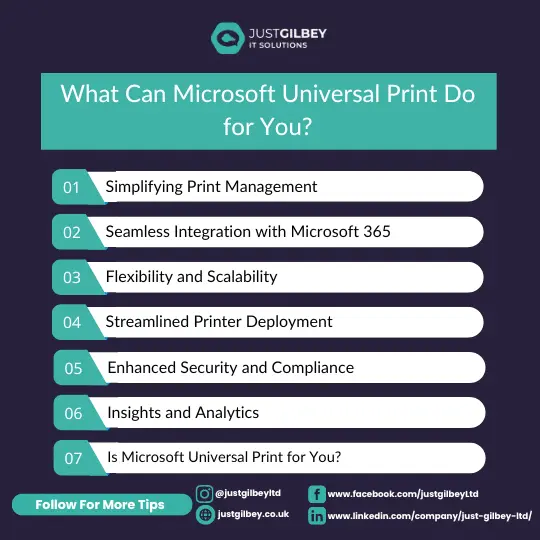
Features that matter in a small office
Printers that install themselves
With Microsoft Intune (included in Business Premium), printers can be pushed to Windows laptops automatically, and the Universal Print app to Macs. A new starter logs in and the right printers are already there. When you replace a printer, you can swap it in the portal without anyone reinstalling anything.
Secure release with a QR code
You can set a printer to hold jobs until the person who sent them is standing at it. They scan a QR code on the printer with their phone, using the Microsoft 365 app signed in with their work account, and only then does the job print.
For solicitors and accountants, that stops client documents sitting in the output tray for anyone to pick up, which is a simple, practical step for keeping personal data secure under UK GDPR.
Sensible defaults and reports
Printers can default to black-and-white and double-sided. The portal’s usage reports show how much printing is going on, which is useful when the printer lease comes up for renewal.
Data stays in your region
Microsoft says Universal Print encrypts data in transit and at rest, and stores it in the geography where your Microsoft 365 tenant was created. Microsoft runs the service in several Azure regions, including UK South.
Will it work with your printers?
Probably. There are two routes:
- Universal Print ready printers connect directly to the service. Some manufacturers offer firmware updates that add support to existing models.
- Everything else connects through the Universal Print connector, a free piece of Microsoft software installed on a Windows computer in the office that has the printers set up on it. That computer needs to stay on, so it’s usually a small server or an always-on PC.
If your printers are managed by a print or copier company, check what they support before you plan anything. Some offer their own connectors or secure-release systems.
What it costs
Universal Print is included with Microsoft 365 Business Premium, as well as Microsoft 365 E3, E5 and F3 and Windows Enterprise E3 and E5. It can also be bought on its own. It is not included in Business Basic or Business Standard.
Usage is counted in print jobs, not pages. A job is one document, however many pages or copies, so 15 copies of a 10-page document is one job. Each Business Premium licence adds 100 jobs a month to a pool shared by everyone, so a 20-person company has 2,000 jobs a month between them. Microsoft sells add-on packs if you go over, and printing doesn’t stop if you do.
If you’re still deciding between plans, our guide to Microsoft 365 vs Office 365 explains what each one includes.
Is it right for you?
Universal Print is a good fit if:
- You’re already on Business Premium, so it costs nothing extra
- You want to retire an old print server or the PC that acts as one
- Staff work from home and the office and want printing to just work
- You print confidential documents and want secure release
It’s less compelling if you have one printer that everyone uses happily, or if you rely on specialist printers (label, cheque or large-format) that need features the connector may not support. Test those first.
Getting help
Switching to Universal Print doesn’t have to be a big project, but it touches every computer in the office, so it’s worth planning. As part of our managed IT support, we look after your devices and Microsoft 365 day to day, and we can help you plan the move. If you’re not sure whether your licences already include it, our free IT Assessment will tell you.
Questions people ask
Is Universal Print included in Microsoft 365 Business Standard?
No. Among the small business plans, Microsoft lists only Business Premium as including Universal Print. It’s also in Microsoft 365 E3, E5 and F3, Windows Enterprise E3 and E5, and can be bought on its own.
Does Universal Print work with our existing printers?
Usually. Printers with Universal Print built in connect directly. Older printers connect through the free Universal Print connector, which runs on a Windows computer in your office.
Where is our print data stored?
Microsoft says Universal Print stores customer data in the geography where your Microsoft 365 tenant was created, and encrypts it in transit and at rest. For most UK businesses that means the UK.
Sources
- Microsoft Learn: Get access to Universal Print (licensing and print volume)
- Microsoft Learn: Universal Print features
- Microsoft Learn: What is the Universal Print connector
- Microsoft Learn: Secure release with QR code
- Microsoft Learn: Set up Universal Print on macOS
- Microsoft Learn: Data handling in Universal Print