How to Choose Cloud Storage for a UK Small Business: A Checklist
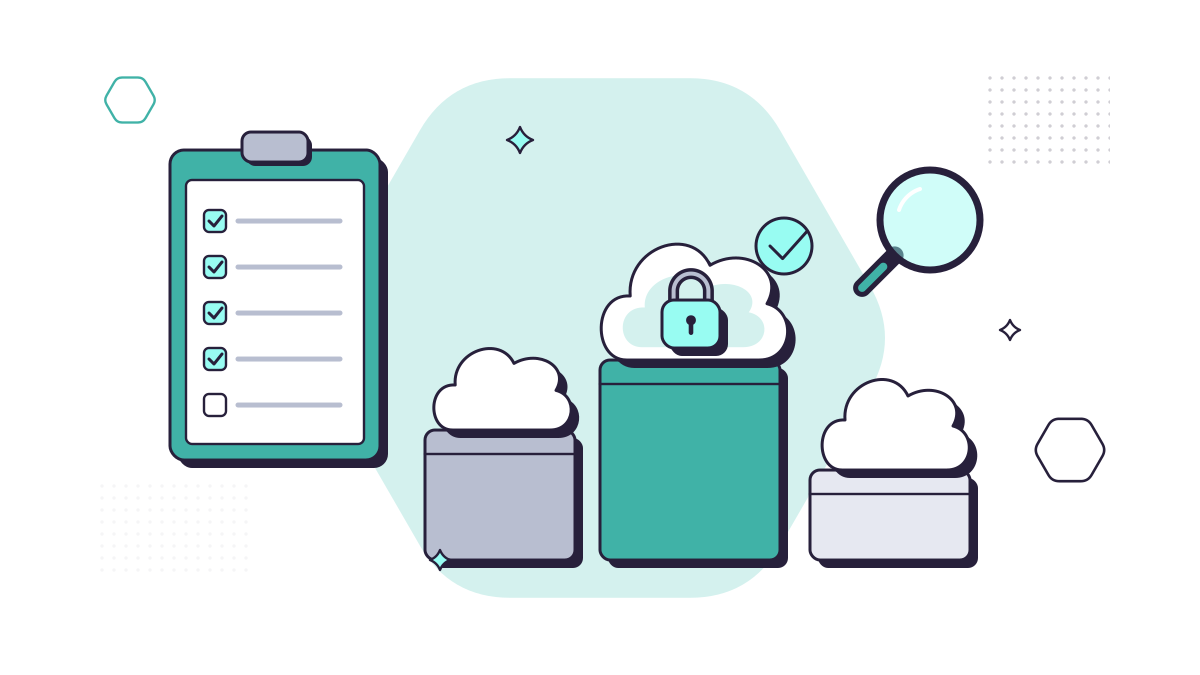
Picking cloud storage feels like a technical choice, but most of the questions that matter are about your business: what you store, who needs it, what your clients and regulator expect, and what happens when things go wrong. Work through the checklist below and the right answer usually becomes obvious.
If you’d rather start with a side-by-side look at the main providers (Microsoft OneDrive and SharePoint, Google Drive, Dropbox, Box), read our companion post, the best cloud storage for UK businesses. This one is about how to decide.
1. What are you storing, and who needs it?
Start with a rough inventory. How much data do you have now, how much of it is in daily use, and how much is archive you keep for legal or regulatory reasons? A law firm’s files are mostly documents and PDFs; a design studio’s are large images and video. The answer affects the plan you need and whether syncing to laptops is practical.
Also list who needs what. Shared company files and personal working files need different homes, and some folders (HR, partners’ files, client matters under restriction) need tighter permissions than others.
2. Does it fit the tools you already use?
The best storage is the one your team will use without thinking. If you’re on Microsoft 365 for email and Office, OneDrive and SharePoint are already included and open files straight into Word and Excel. If you run on Gmail and Google Docs, Google Drive is the natural fit. Running two systems side by side is how businesses end up with three versions of the same contract.
Check your other software too: case management, practice management, accounting and CRM systems often integrate with one provider better than another.
3. Where will the data be held?
UK GDPR doesn’t require personal data to stay in the UK, but you must know where it goes and which rule allows it. According to the ICO, transfers abroad can rely on UK adequacy regulations (which cover the EU, and US companies certified to the UK Extension of the Data Privacy Framework, known as the UK-US data bridge) or on safeguards such as the International Data Transfer Agreement.
What the main providers offer, at the time of writing (October 2026):
- Microsoft 365: for tenants provisioned in the UK, Microsoft’s Product Terms commit to storing mailboxes, SharePoint and OneDrive files and Teams chats at rest in the UK.
- Google Workspace: data regions let you choose the US or Europe, on Business Standard and higher editions.
- Dropbox: UK storage is available for business teams with at least 10 licences on annual billing.
Solicitors and accountants often have client contracts or engagement letters that say where data will be held, so check those as well as the law. Our post on cloud compliance for UK businesses covers transfers in more depth.
4. Is there a proper data processing agreement?
When a cloud provider stores personal data for you, it’s your processor, and UK GDPR requires a written contract. The ICO lists what it must cover: acting only on your instructions, confidentiality, security, using sub-processors only with your authorisation, helping you with people’s rights requests, deleting or returning data at the end, and allowing audits. Microsoft, Google, Dropbox and Box publish standard terms that do this. Free personal accounts usually don’t give you a business contract at all.
5. Can you control who gets in?
Look for these as a minimum:
- Multi-factor authentication you can enforce for every user, not just offer.
- Sharing controls, so you can stop or limit links to people outside the business.
- Central admin, so you can remove a leaver’s access on their last day and keep their files.
- Audit logs, so you can see who opened or shared what.
The NCSC’s cloud security principles are a good longer checklist; principles 9 and 10 (secure user management, and identity and authentication) are the ones small businesses most often get wrong.
6. Will it pass Cyber Essentials?
If you hold Cyber Essentials, or a client or insurer asks for it, your cloud storage is part of the assessment. The current requirements (v3.3, April 2026) say cloud services that hold your data can’t be excluded from scope, and that signing in to cloud services must always use multi-factor authentication. Choose a service where you can enforce that for everyone. Try our Cyber Essentials checklist to see how close you are.
7. What does it really cost?
Compare the full cost, not the headline price per user:
- Is storage already included in a licence you pay for?
- Are there charges for extra storage, extra users or archive tiers?
- Will you need a separate backup service (you should have one; see point 9)?
- What will it cost to move the data in, and out again later?
Paying a little more for one system that does everything is usually cheaper than two that overlap.
8. Will it grow with you?
Check how easily you can add users, add storage and change plan. Also check limits that bite as you grow, such as file size, the number of files one laptop can sync comfortably, and maximum users on small-business plans.
9. How will you back it up?
Cloud storage keeps your files available; it doesn’t protect them from your own mistakes. Deletions and ransomware damage sync like any other change, and recycle bins only keep files for a limited time. Plan a separate backup from day one, with someone checking that restores work. Our backup and disaster recovery page explains how we do this.
10. How will you move in, and could you move out?
Moving files is where projects go wrong: broken links, lost permissions, duplicate folders. Plan the folder structure and permissions first, move in stages, and tell staff what changes on which day. Before signing up, also check how you’d export everything if you ever wanted to leave.
Common mistakes to avoid
- Choosing on price alone, then paying twice because it doesn’t fit your other tools.
- Leaving staff on personal Dropbox or Google accounts “for now”.
- Copying an old server’s messy folder structure straight into the cloud.
- Turning on multi-factor authentication for some people but not everyone.
- Assuming the provider backs up your data for you.
Getting help
If you’re moving off an old server or tidying up a mix of services, our cloud services team can help you choose, plan the structure and permissions, and move your files across with as little disruption as possible.
Questions people ask
Does UK GDPR say our data has to stay in the UK?
No. UK GDPR allows transfers abroad if they’re covered, for example by UK adequacy regulations (which include the EU and US companies certified to the UK-US data bridge) or by safeguards such as the International Data Transfer Agreement. You do need to know where the data goes and which rule covers it.
What is a data processing agreement?
The contract between you (the controller) and the cloud provider (your processor). UK GDPR says what it must include, such as acting only on your instructions, keeping data secure and deleting or returning it at the end. The big providers publish theirs as standard terms.
Do our cloud services count for Cyber Essentials?
Yes. The current requirements (v3.3, April 2026) say cloud services that hold your data can’t be excluded from scope. Our Cyber Essentials checklist helps you see where you stand.
Sources
- ICO: International transfers
- ICO: What needs to be included in the contract? (controllers and processors)
- GOV.UK: UK-US data bridge factsheet for UK organisations
- NCSC: The cloud security principles
- NCSC: Cyber Essentials requirements for IT infrastructure v3.3 (April 2026)
- Microsoft Learn: Product Terms data residency
- Google Workspace Admin Help: Data covered by data regions
- Dropbox Help: Where is my Dropbox data stored?