Microsoft 365 Copilot in 2026: What It Actually Does

When we first wrote this post in July 2023, Copilot was a preview with no release date. Three years on, it’s part of everyday Microsoft 365, and the useful questions have changed. What does it actually do? Which version do you have? And is the paid one worth it for a small UK business?
Three versions, not one
Microsoft’s own overview describes three levels:
- Copilot Chat. Included with eligible Microsoft 365 business plans at no extra cost. A secure AI chat that answers from the web, and from your documents only if you upload them or have them open in Outlook or Teams.
- Copilot in the apps, without the add-on. Many users now get some Copilot features in Word, Excel, PowerPoint and OneNote without paying extra. Microsoft calls this “standard access”, and it can vary at busy times.
- Microsoft 365 Copilot, the paid licence. The full version, with priority access. It works with your own emails, files, meetings, calendar and chats automatically, through Microsoft Graph, so you can ask about “the Smith lease” without finding the documents first.
Microsoft is also renaming things. Microsoft 365 Copilot is becoming “Microsoft Copilot”, and some screens and licences still use the old names.
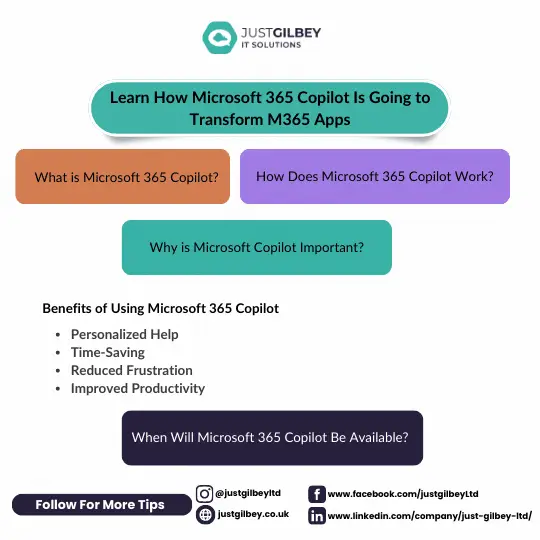
What it does in each app
Here’s what Microsoft lists today:
- Word: draft, rewrite and summarise documents.
- Excel: analyse data, create formulas and charts.
- PowerPoint: create a presentation from a prompt or an existing document, summarise a deck or apply formatting across it.
- Outlook: draft emails, summarise threads and coach you on clarity and tone.
- Teams: summarise and transcribe meetings, capture action items, and summarise long chats.
- OneNote and Forms: draft plans and lists, or the questions for a survey.
With the paid licence you also get agents. Microsoft 365 Copilot Business includes ready-made ones called Researcher, Analyst and Facilitator, and you can control which other agents staff are allowed to use.
The 2023 promise of Copilot “learning your habits” turned out to be less important than something simpler. The paid version can find and summarise your own work, across email, files and meetings, in seconds. That’s where most of the time goes back.
What it costs in the UK
At the time of writing (October 2026), Microsoft UK lists these prices, per user per month, ex VAT, paid yearly:
| Plan | Price |
|---|---|
| Microsoft 365 Copilot Business (add-on, up to 300 users) | £16.10, or £13.80 for the first year as a promotion running 1 July to 31 December 2026 |
| Microsoft 365 Business Standard with Copilot | £18.10 |
| Microsoft 365 Business Premium with Copilot | £24.60 |
| Microsoft 365 Business Premium on its own, for comparison | £16.90 |
Paying monthly instead of yearly costs more: Microsoft lists the add-on at £19.32 a month. The add-on also needs a qualifying Microsoft 365 plan underneath it.
You don’t have to license everyone. Many companies give it to the people who write, summarise and search the most, then check the Copilot usage report to see who actually uses it. Our post on stopping waste on Microsoft 365 add-ons covers that in more detail.
How it handles your data
Microsoft’s privacy documentation makes three points worth knowing:
- It only shows people what they can already open. Copilot respects your Microsoft 365 permissions. If those permissions are too loose, it makes overshared files much easier to find.
- Your data isn’t used to train the models. Microsoft says prompts, responses and data accessed through Microsoft Graph aren’t used to train the foundation models.
- Processing may happen outside the UK. Microsoft says customers outside the EU may have their queries processed in the US, the EU or other regions. If you’re regulated, note this in your data protection records and your AI policy.
Microsoft is also clear that Copilot’s answers “aren’t guaranteed to be 100% factual”. Its output is a draft for a person to check.
Before you switch on the paid version
- Tidy your permissions. Look for old “anyone with the link” shares, broad groups and SharePoint sites nobody owns.
- Label what’s sensitive. If you have Business Premium, sensitivity labels can help protect your most confidential documents.
- Agree the rules. Staff need to know what to check and what not to do. See our everyday AI rules for staff.
- Start small. Trial it with a few people for a couple of months, then decide who keeps it.
Our AI & Copilot service does exactly this: a permissions review and clean-up first, then a roll-out to the people who’ll benefit.
Questions people ask
Is Copilot included in Microsoft 365 Business Premium?
Copilot Chat is, at no extra cost. The full Microsoft 365 Copilot, which works with your own emails and files, is a paid add-on, or you can buy Business Premium with Copilot as one plan. At the time of writing (October 2026) Microsoft UK lists Business Premium at £16.90 and Business Premium with Copilot at £24.60 per user per month ex VAT, paid yearly.
Does Microsoft use our data to train Copilot?
Microsoft says prompts, responses and data accessed through Microsoft Graph aren’t used to train the foundation models behind Copilot, and that this data is handled under the same contractual commitments as the rest of your Microsoft 365 content.
Can Copilot see files people shouldn’t?
It can only show a user what that user can already open. The catch is that most companies have more open than they realise: old sharing links, “everyone” groups and forgotten sites. Fix those before you switch the paid version on.
Has Microsoft 365 Copilot been renamed?
Microsoft is moving to the name Microsoft Copilot, and Copilot Chat to Microsoft Copilot Chat. Some licences and screens still use the old names during the change. Nothing changes about privacy or security, according to Microsoft.
Sources
- Microsoft Learn: What is Microsoft Copilot? (updated October 2026)
- Microsoft Learn: Data, privacy and security for Microsoft Copilot
- Microsoft UK: Microsoft 365 Copilot for business, plans and pricing
- Microsoft UK: Microsoft 365 Business Premium
- Microsoft UK: Compare all Microsoft 365 business plans
- Microsoft Learn: Microsoft Copilot usage report