9 Everyday AI Rules for Your Staff (UK Small Business Guide)
Most staff want to use AI sensibly. What they lack is a short, clear set of rules they can remember without opening a policy document. Here are nine that work for most UK small businesses.
This post is about the day-to-day rules. For what belongs in the written policy behind them, such as approved tools, data protection and who reviews it, see the AI policy playbook.
The nine rules
1. Use approved tools, signed in with your work account
Only use the AI tools your company has approved, and always with a work account. If you have Microsoft 365, Copilot Chat signed in with a work account comes with Microsoft’s enterprise data protection. A personal account on a free chatbot doesn’t give your company that control.
2. Never paste in client data or anything confidential
That means client personal data, anything confidential or privileged, and passwords. The NCSC advises against including sensitive information in queries to public AI tools, or anything that would cause problems if it were made public. ICAEW says confidential information shouldn’t go into public generative AI tools, and the SRA warns that information entered into AI systems may be stored or used to improve the tool. If in doubt, leave it out, or ask.
3. Treat every answer as a first draft
AI tools can be wrong and sound completely sure of themselves. The NCSC points out they can present incorrect statements as facts. Check names, figures, dates and anything that sounds like a rule or a law. The SRA’s August 2026 warning notice says every case law authority put before a court must be genuine and verifiable.
4. You own what you send
If it goes out under your name, it’s your work. The SRA is blunt about this for solicitors: they stay accountable for their work however it was produced. The same applies to everyone else. “The AI wrote it” won’t help with a client complaint.
5. Don’t let AI make decisions about people
Don’t use AI to decide who gets a job, a refund or a credit limit without a person making the real decision. Data protection law gives people safeguards around significant automated decisions, and the ICO’s AI guidance covers this.
6. Be open about it
Tell your manager when AI did a meaningful part of a piece of work, so the right checks happen. If AI is used on a client’s matter, follow your company’s rules on telling the client.
7. Expect AI-powered scams
Criminals use AI too. The NCSC expects it to make it hard for everyone to tell whether an email or password reset request is genuine. Well-written emails, cloned voices and fake video calls are now cheap to make. Never act on a request to pay, change bank details or share login details without checking it through a phone number you already have. Our post on AI-powered phishing has more.
8. Ask before recording or transcribing
AI meeting notes are useful, but they rely on a recording or transcript. Tell people at the start, and don’t use them for sensitive client conversations unless your company has agreed it’s fine.
9. Report mistakes and new tools
If you paste something you shouldn’t have, or an AI answer causes a problem, say so straight away, without fear of blame. The sooner the company knows, the more it can do. Ask before installing any new AI app, browser extension or add-in, because many of them ask for access to your email or files. See our checklist for vetting third-party apps.
Setting the rules up
Rules only work if people know them and can see why they matter. A few practical tips:
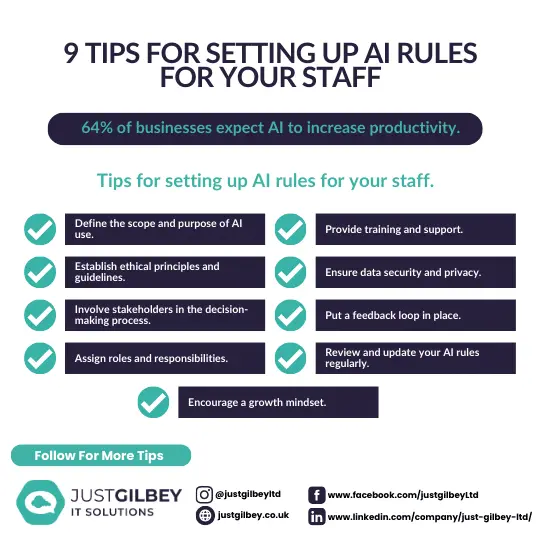
- Keep it to one page. Print the nine rules, pin them in Teams and include them in induction.
- Explain the why. People follow a rule about client data more readily when they understand privilege and confidentiality.
- Ask your team what they already use. You’ll find out where AI is genuinely saving time, and which unapproved tools need replacing.
- Show people where the approved tools are. If the safe option is easy to reach, fewer people go looking elsewhere.
- Review the rules regularly. Tools change quickly. Check the rules at least once a year, and whenever you approve a new tool.
From our work
One client found that staff had been using ChatGPT and other AI tools without anyone knowing. We set up a filter that reported which tools each person was using, then blocked those tools and gave the staff training. If you’re writing AI rules, it’s worth finding out what’s already in use first.
David Gilbey, Just Gilbey IT Solutions
Get help putting AI rules in place
Our AI & Copilot service includes a staff AI usage policy, approved tools set up in Microsoft 365 and help explaining the rules to your team. For solicitors and accountants, we’ll also take the SRA or ICAEW guidance into account.
Questions people ask
Can staff use their personal ChatGPT account for work?
It’s best not to. A personal account sits outside your company’s control, so you can’t see what was shared or get it back when someone leaves. Approve a business tool, such as Copilot Chat signed in with a work account, and ask staff to use that.
What should staff never put into an AI tool?
Client personal data, anything confidential or privileged, passwords and other credentials, and anything that would cause a problem if it were made public. The NCSC gives the same test for public AI tools.
Do we need to tell clients we use AI?
It depends on how you use it and on your professional rules. If AI is used on a client’s matter or personal data, check your privacy notice and engagement terms, and be ready to explain how a person checked the work.
Sources
- NCSC: ChatGPT and large language models, what’s the risk? (14 March 2023)
- NCSC: The near-term impact of AI on the cyber threat (24 January 2024)
- NCSC: AI and cyber security, what you need to know
- SRA: Misuse of AI, warning notice (17 August 2026)
- ICAEW: Generative AI and ethics
- ICO: Guidance on AI and data protection (under review)
- Microsoft Learn: What is Microsoft Copilot? Enterprise data protection