Unified Communications for Small Businesses: A Plain-English Guide
“Unified communications” sounds like a big-company idea, but for a small office it boils down to something simple: one system for talking to people, wherever you are.
What unified communications actually means
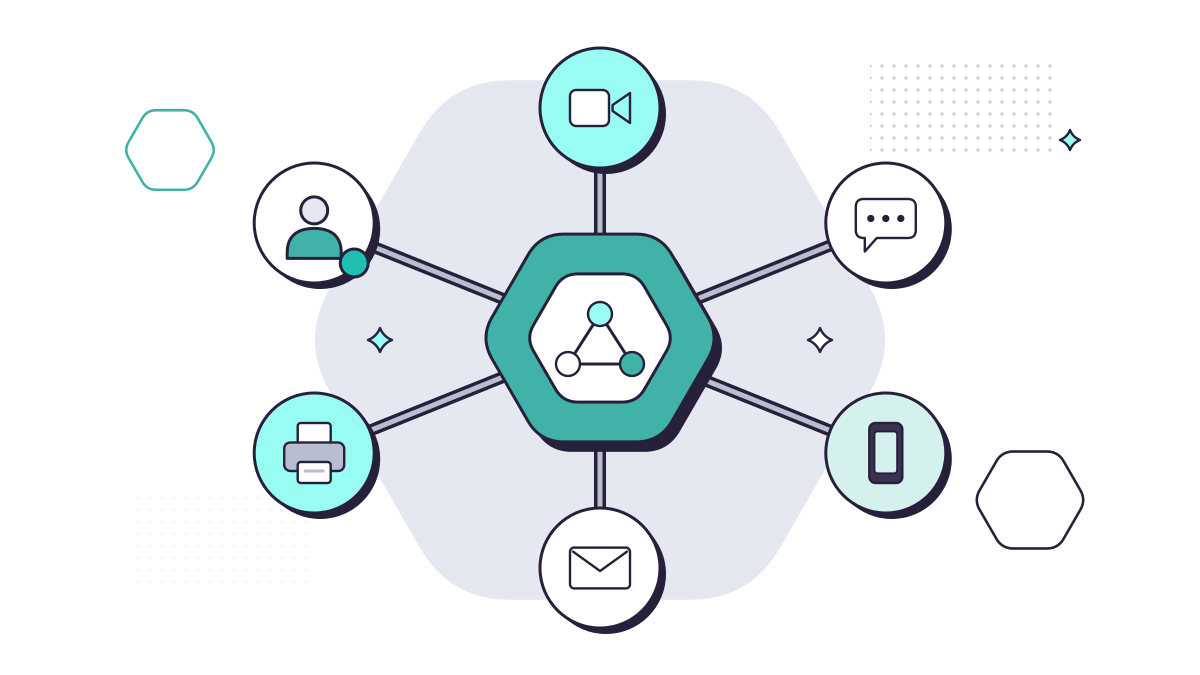
A unified communications (UC) system brings together:
- Phone calls, on desk phones, a softphone app on your computer, or your mobile, all using your business number
- Voicemail, which can arrive as an email you can listen to anywhere
- Call routing, such as ring groups, hunt groups and “press 1 for accounts” menus
- Video meetings and screen sharing
- Chat and presence, so you can see whether a colleague is free, busy or out before you transfer a call
Instead of separate systems (a phone system in a cupboard, a meetings app, a chat tool and a mobile contract) that don’t talk to each other, it all works as one, over the internet.
Why it matters now: the 2027 landline switch-off
The UK’s traditional copper phone network, the PSTN, is being retired. BT has decided to close it by January 2027, and other providers that use BT’s network must follow the same timetable. The government’s guidance says all landlines and devices that rely on it need to be upgraded by then.
In short, every business phone line in the UK is moving to internet-based calling (VoIP) anyway. If you have to change how your phones work, it makes sense to choose a set-up that also joins up the rest of your communications, rather than just swapping like for like.
Check what else uses your phone lines
Phones aren’t the only thing affected. Ofcom and the government advise businesses to list every device connected to a phone line and check it will work after the switch. Common ones:
- Burglar and fire alarms
- Card payment terminals
- Lift emergency phones
- Door entry and intercom systems
- Fax machines and older franking machines
Ask the supplier of each device whether it’s ready for digital lines. This is the part that usually gets forgotten.
What it changes day to day
Your number goes where you go
Calls to your office number can ring on a desk phone, a laptop or a mobile app. For solicitors, that means taking a client call at court or at home on the same number. For anyone working hybrid, nobody needs to give out a personal mobile number.
Calls reach the right person first time
Ring groups and call menus send callers to the right team. Accountants can set up call flows that cope with the January self-assessment rush, and solicitors can route calls to the right fee earner or department instead of relying on reception to know where everyone is.
Changes without an engineer
New starter, leaver, desk move, or the office closed for a bank holiday? With a cloud system these are settings, not site visits.
Predictable costs
Cloud phone systems are usually priced per user per month, often with UK call bundles included, so there’s no phone system to buy and replace every few years.
What to check before you switch
UC is only as good as the foundations underneath it.
- Your internet connection. Calls need a reliable connection with enough capacity at busy times. If the internet goes down, so do desk phones, so think about a back-up connection or mobile apps as a fallback.
- Power. Digital phones need power, unlike old analogue handsets. Anyone relying on a landline for safety needs a battery back-up plan, which the government says providers should supply to vulnerable customers.
- Your numbers. List every number you have, including ones that only ring a fax machine or an old direct dial, so nothing gets lost when you move.
- Security. Internet phone systems can be targeted for toll fraud, where criminals use your account to make expensive calls. Strong passwords, multi-factor authentication for admin access and call barring all help.
- Who supports it. If your phones come from one company, your internet from another and your IT from a third, a fault can turn into three companies blaming each other.
Teams calling or a dedicated phone system?
If you already use Microsoft Teams, you can add calling to it. That suits some companies well, especially where everyone works at a computer. Others prefer a dedicated cloud phone system with proper desk phones for reception and fee earners, while still using Teams for meetings and chat. Our Teams plan comparison explains what’s included in each Microsoft licence.
There isn’t a single right answer. It depends on how your team takes calls today and what you want to change.
Where to start
Write down how calls come into your business now: which numbers, who answers, what happens when they’re busy or out, and which devices use a phone line. That list is the brief for any new system.
Our managed cloud phone system, MYLE Voice, starts with exactly that: a VoIP Assessment of how your company takes calls, then call flows and phones designed around it, set up and supported by the same team that looks after your IT. If you’d rather talk it through first, get in touch.
Questions people ask
When is the UK landline switch-off?
BT is retiring the old copper phone network (the PSTN), and the government says all landlines and devices that rely on it need to be upgraded by January 2027. Other providers using BT’s network follow the same timetable.
Can we keep our phone numbers if we move to a cloud phone system?
Usually, yes. Ofcom says your number won’t change because of the move to digital. If you also change provider, numbers are normally transferred across as part of the switch.
Do internet phones work in a power cut?
Not on their own. Digital phones need power and a working internet connection, unlike old analogue phones. Mobile apps can keep you reachable, and anyone relying on a landline for safety should talk to their provider about battery back-up.